Joining a team
Joining a team from the switcher
When someone has invited you to a workspace, the panel shows Invitations (n), with a line such as "Ada Admin invited you as a member." under each. Select Accept to join (the button reads "Joining…" while it works), and SuaveDocs opens that workspace; select Decline and the invitation disappears. If the workspace has no free place for you, or SuaveDocs cannot let you join yet, the panel shows the sentence SuaveDocs gives and the invitation stays.
Joining a team from an invitation e-mail
When someone invites you, SuaveDocs e-mails you with the subject "
To join:
- Open the link. If you are not signed in, the page says "You've been invited to a SuaveDocs workspace." Select Sign in, or, if you have no account yet, Create an account; either way SuaveDocs brings you back to the invitation afterwards.
- The page says "Join
as a member" (or "an administrator", "an owner"), names who invited you with " invited you.", shows their message if they wrote one, and says "This invitation works until ." - Select Join
. The page says "You're in." Select Open to go to the workspace. Select Decline instead and the page says "You declined the invitation." with Go to my space.
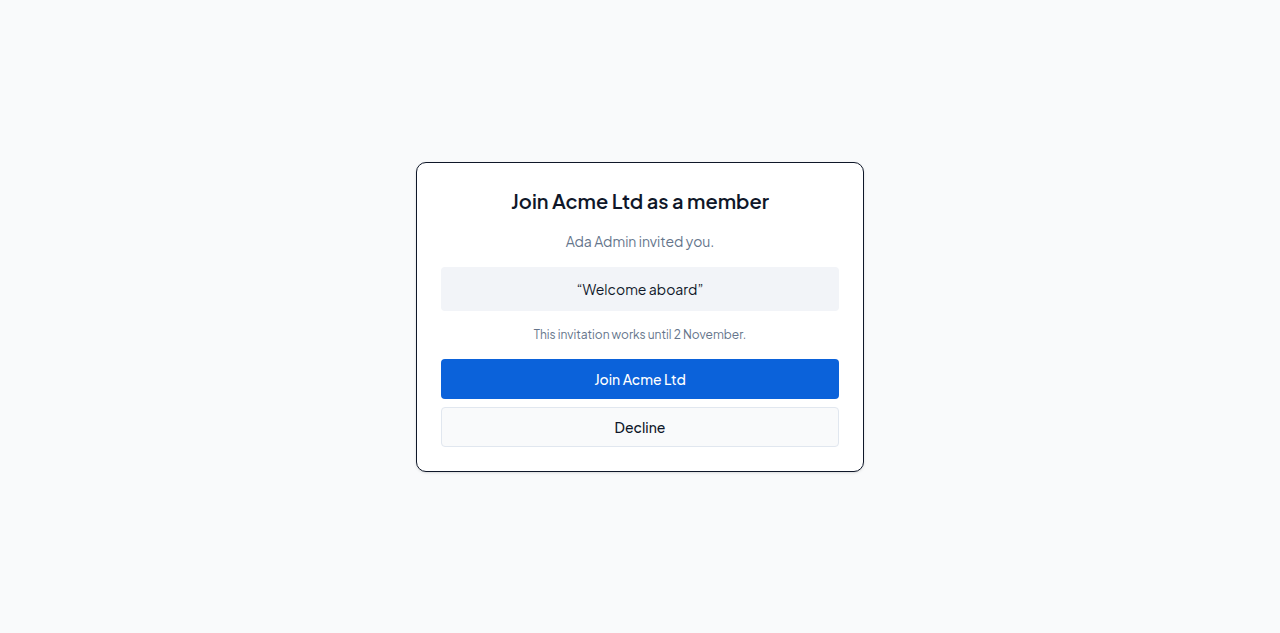 Figure: The invitation page, showing who invited you, their message, the date the invitation works until and the Join Acme Ltd button.
If something is different: if you have not confirmed your e-mail yet, SuaveDocs asks you to confirm it first, with a button to do so, and brings you back here. If you are signed in with a different address, the page says "This invitation is for