QR code
Generates a QR code from text, a web address, Wi-Fi details, or a contact card, entirely in your browser.
To make a QR code:
- Open QR code & barcode, on the QR code tab.
- Choose a Type: Text, URL, Wi-Fi, or vCard.
- Fill in the fields for that type — Text; URL; Network name (SSID) and Password for Wi-Fi; Name, Phone and Email for vCard.
- Optionally change Size (256, 512, or 1024 pixels) or Error correction (L, M, Q, or H).
- As soon as you've typed something, the QR code appears in the preview.
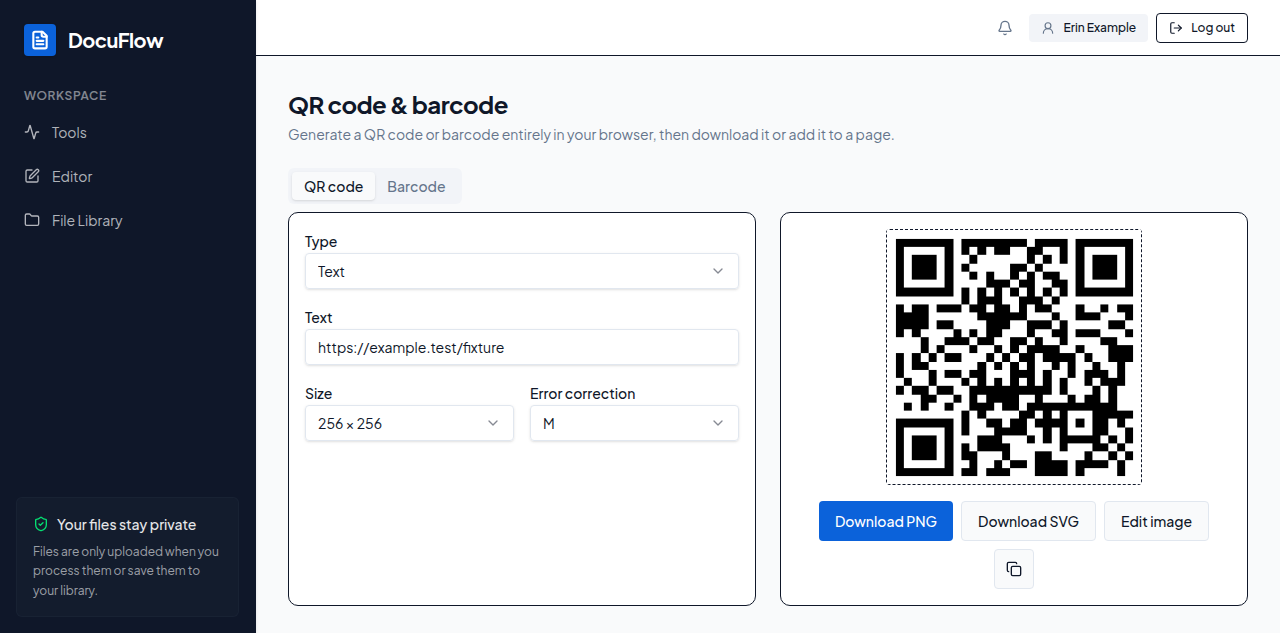 Figure: the QR code, generated in the browser as soon as something is typed.
6. Select Download PNG or Download SVG to save the image, the copy-image button (labelled "Copy image") to copy it, or Edit image to send it to the image editor.
Figure: the QR code, generated in the browser as soon as something is typed.
6. Select Download PNG or Download SVG to save the image, the copy-image button (labelled "Copy image") to copy it, or Edit image to send it to the image editor.
What you'll see when it's done: the file in your browser's downloads (or clipboard, for copy), or the image workspace open with your QR code loaded, ready for further editing.
"Fill in a field to preview the QR code." until you've typed something; if what you typed is too much for the chosen size and error-correction level: "Too much data for this size and error-correction level — shorten the text or lower the level."
| Type | Fields |
|---|---|
| Text | Text |
| URL | URL |
| Wi-Fi | Network name (SSID), Password |
| vCard | Name, Phone, Email |